Human Side Of Security
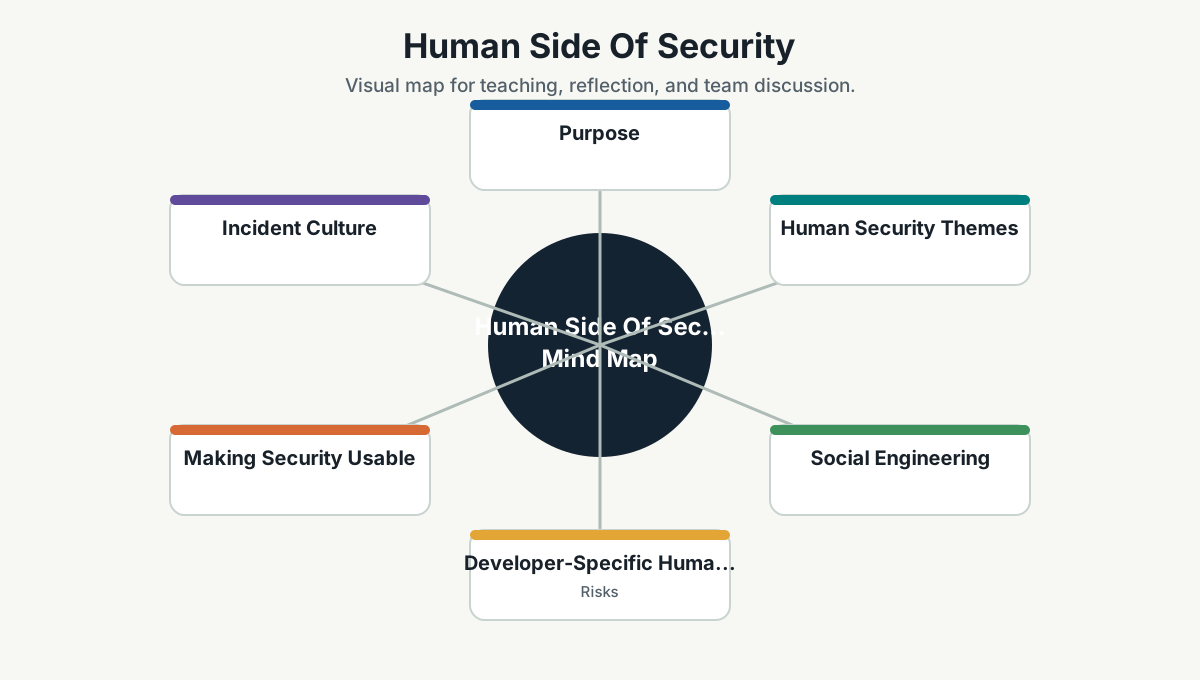
Purpose
Security is deeply human. Most incidents involve people somewhere: rushed decisions, unclear ownership, confusing tools, social engineering, fatigue, fear of reporting mistakes, or incentives that reward speed without care.
A secure culture is not built by telling people to "be careful" louder. It is built by designing systems, habits, and team norms that make careful work easier.
Human Security Themes
| Theme | What It Means |
|---|---|
| Awareness | People understand common risks and why they matter |
| Psychological safety | People report mistakes early without fear of humiliation |
| Clear ownership | People know who owns systems, data, access, and response |
| Usable security | Secure tools and processes are not painful |
| Least privilege | Access is limited without blocking real work |
| Incident learning | Incidents become better systems, not blame stories |
| Social engineering resistance | Teams recognize manipulation, urgency traps, and impersonation |
Social Engineering
Attackers often target trust, urgency, fear, helpfulness, and authority.
Common patterns:
- Fake invoice or payment request.
- CEO/vendor impersonation.
- Password reset trick.
- MFA fatigue attack.
- Malicious attachment or link.
- Fake support call.
- Request for source code, credentials, logs, or customer data.
Practical habits:
- Verify unusual requests through a second channel.
- Be suspicious of urgency plus secrecy.
- Never share passwords or MFA codes.
- Report suspicious messages.
- Pause before approving unexpected access prompts.
Developer-Specific Human Risks
Developers face particular risks:
- Copying secrets into chat, tickets, logs, or AI tools.
- Downloading random packages without checking trust.
- Using personal tokens too broadly.
- Keeping old admin access.
- Disabling security checks to "fix later."
- Ignoring dependency warnings because there are too many.
- Trusting generated code without review.
Security should reduce friction, but developers must also treat credentials, dependencies, generated code, and production access with respect.
Making Security Usable
If secure behavior is painful, people route around it.
Improve usability by:
- Providing approved templates.
- Automating secrets management.
- Giving simple local development setup.
- Creating clear escalation paths.
- Using SSO and password managers.
- Making access requests fast but auditable.
- Tuning noisy tools.
- Giving short, practical examples instead of long policy PDFs.
Incident Culture
A good incident culture asks:
- What happened?
- How did our system allow it?
- How did detection work?
- What made response harder?
- What should change?
- Who owns the follow-up?
Avoid:
- Public shaming.
- "Who clicked it?" as the main question.
- Fixing only the person, not the system.
- Hiding near-misses.
The best time to hear about a security mistake is immediately. The second best time is now. The worst time is when a customer, auditor, or attacker tells us first.
Security Champions
Each team should have a security-minded person who:
- Brings security questions into planning.
- Helps interpret tool findings.
- Coordinates with security/platform/operations.
- Shares examples and lessons.
- Helps update team standards.
This person is not the only one responsible for security. They are a local amplifier.
Team Exercises
Exercise 1: The Suspicious Request
Give teams a fake urgent request:
"Please send the customer export immediately. I am in a meeting with the client. Do not delay."
Ask:
- What makes this risky?
- What would you verify?
- What channel would you use?
- What data classification applies?
Exercise 2: Secret Leak Drill
Ask:
- What happens if a token is accidentally committed?
- Who is notified?
- How is the token revoked?
- How do we check exposure?
- How do we prevent recurrence?
Exercise 3: Access Review
Ask each team to review:
- Who has production access?
- Who has admin access?
- Which service accounts are over-permissioned?
- Which access is no longer needed?
Team Reference Guide
Guidelines For Teams
- Make it easy to report suspicious events and mistakes.
- Verify unusual requests.
- Keep access limited and reviewed.
- Use password managers and MFA.
- Treat AI tools as external systems unless approved otherwise.
- Share security lessons without drama.
Reflection Questions
- What security process is painful enough that people avoid it?
- What mistake would someone be afraid to report?
- Which access do we keep because no one wants to check?
- What near-miss should become a team lesson?
Further Study
- CISA Secure Our World: https://www.cisa.gov/secure-our-world
- NIST Cybersecurity Framework: https://www.nist.gov/cyberframework
- Google SRE Postmortem Culture: https://sre.google/workbook/postmortem-culture/
- Microsoft Security Development Lifecycle: https://www.microsoft.com/en-us/securityengineering/sdl/