Simpro Growth Engineering Foundation
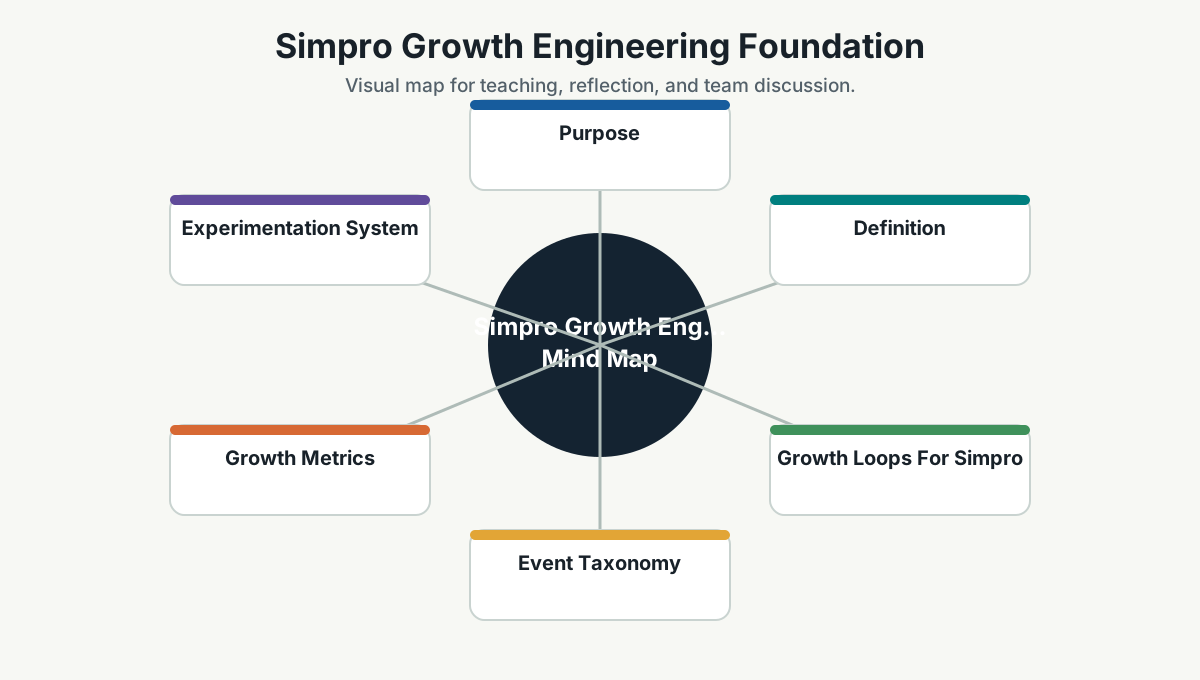
Purpose
Growth engineering helps Simpro learn which product experiences create activation, adoption, retention, expansion, and customer success.
It is not only marketing analytics. It is an engineering discipline for building instrumentation, data pipelines, experiments, and product feedback loops into the product.
Definition
Growth engineering combines software engineering, product thinking, data, experimentation, and user behavior analysis.
For Simpro, it should help answer:
- Which users reach first value?
- Where do users drop off?
- Which workflows drive retention?
- Which integrations increase adoption?
- Which product changes improve conversion or usage?
- Which customer segments need different onboarding?
- Which feature releases create measurable business impact?
Growth Loops For Simpro
Recommended first customer journey:
Request or lead -> quote -> job -> schedule -> mobile completion -> invoice -> payment -> repeat usage.
Possible growth loops:
| Loop | Signal |
|---|---|
| Activation loop | New account creates first quote, schedules first job, or completes first mobile workflow |
| Mobile adoption loop | Field staff repeatedly complete work from mobile instead of offline/manual updates |
| Payment loop | Invoice created, sent, opened, paid, and reconciled |
| Integration loop | Accounting, payment, supplier, or email/document automation integrations reduce manual work |
| Retention loop | Teams return weekly to manage jobs, schedules, assets, and invoices |
| Expansion loop | Customer adopts more modules, seats, locations, integrations, or automation workflows |
Event Taxonomy
Events should be consistent and intentional. Start with a small taxonomy and expand only when questions require it.
Event naming pattern:
domain_object_action
Examples:
lead_createdquote_createdquote_sentquote_acceptedjob_createdjob_scheduledjob_startedmobile_job_openedmobile_update_submittedinvoice_createdinvoice_sentpayment_attemptedpayment_completedintegration_connectedintegration_sync_faileddata_feed_document_processeddata_feed_workflow_created
Minimum event properties:
- Timestamp.
- User ID or anonymous ID.
- Account or tenant ID.
- Role or persona where available.
- Product area.
- Workflow stage.
- Source surface: web, mobile, API, integration, automation.
- Region or market where relevant.
- Plan or package where relevant.
- Experiment assignment where relevant.
Growth Metrics
| Area | Example Metric |
|---|---|
| Activation | Percentage of new accounts reaching first quote/job/invoice within 7 or 14 days |
| Adoption | Weekly active accounts using scheduling, mobile, invoicing, or integrations |
| Retention | Accounts returning to core workflows week over week |
| Expansion | Adoption of additional modules, users, locations, or integrations |
| Efficiency | Time from quote to job, job to invoice, invoice to payment |
| Reliability impact | Failed workflow rate, mobile sync delay, integration failure rate |
| Experimentation | Experiment velocity, valid experiment rate, impact per experiment |
Experimentation System
Start with disciplined lightweight experiments before building a full experimentation platform.
Every experiment should define:
- Hypothesis.
- Target segment.
- Primary metric.
- Guardrail metrics.
- Triggering condition.
- Randomization or rollout method.
- Sample size assumption.
- Duration.
- Rollback plan.
- Decision rule.
- Owner.
Example:
- Hypothesis: New onboarding checklist increases first-job scheduling for new accounts.
- Target: New accounts in pilot segment.
- Primary metric: Account schedules first job within 7 days.
- Guardrail: Support tickets, setup abandonment, mobile error rate.
- Rollout: Feature flag for 25 percent of eligible accounts.
- Decision: Keep, iterate, or revert based on measured lift and guardrails.
Data Pipeline Foundation
A simple growth data pipeline should include:
- Product event collection.
- Event validation.
- Secure transport.
- Raw event storage.
- Modeled analytics tables.
- Dashboard layer.
- Experiment assignment data.
- Data quality checks.
- Access controls.
The first version can be simple. The important thing is consistency and trust.
Growth Observability
Growth observability connects product behavior and system health.
For example:
- A drop in invoice completion may be a product issue, payment integration issue, performance issue, or onboarding issue.
- A drop in mobile submissions may be a UX issue, sync issue, login issue, or customer training issue.
- A drop in Data Feed workflow creation may be an extraction accuracy issue, email parsing issue, customer configuration issue, or queue failure.
Technical dashboards and product dashboards should share enough context to investigate together.
Team Model
In a small company, growth engineering can start as a part-time working group:
- Product owner.
- Engineer.
- Data/analytics owner.
- Designer or UX researcher.
- Customer success representative.
The team should meet weekly to review:
- Funnel metrics.
- Customer friction.
- Experiment ideas.
- Current experiments.
- Instrumentation gaps.
- Decisions made from evidence.
Responsible Growth
Growth engineering must be ethical and privacy-aware.
Rules:
- Do not dark-pattern users.
- Do not collect data without a clear purpose.
- Respect customer data boundaries.
- Avoid exposing individual behavior where aggregate insight is enough.
- Include opt-out and consent requirements where applicable.
- Review experiments that affect pricing, payment, communication, or critical workflows carefully.
First 90-Day Growth Deliverables
- Define the first product event taxonomy.
- Instrument one core journey.
- Build an activation dashboard.
- Build a workflow reliability dashboard.
- Define an experiment template.
- Run or prepare one low-risk onboarding or activation experiment.
- Create a monthly growth review ritual.
Team Reference Guide
How To Explain This Page
Use this page as a reference conversation, not as a checklist to read aloud. Start by explaining why the topic matters, then connect it to current team work, and finally ask what behavior should change.
The most useful way to teach this material is to move from concept to example. Explain the principle, show how it appears in daily work, ask the team where it is currently strong or weak, and finish with one small action.
Guidelines For Teams
- Connect the topic to a current project, customer problem, incident, or decision.
- Translate concepts into visible behaviors.
- Keep the guidance lightweight enough to use weekly.
- Capture decisions, examples, and improvements back into the wiki.
- Review the page again after a project, incident, or retrospective to update what the team has learned.
Reflection Questions
- What part of this topic is already working well for us?
- What part is still mostly theory?
- What is one behavior we can change in the next 30 days?