Mobile App Blueprint
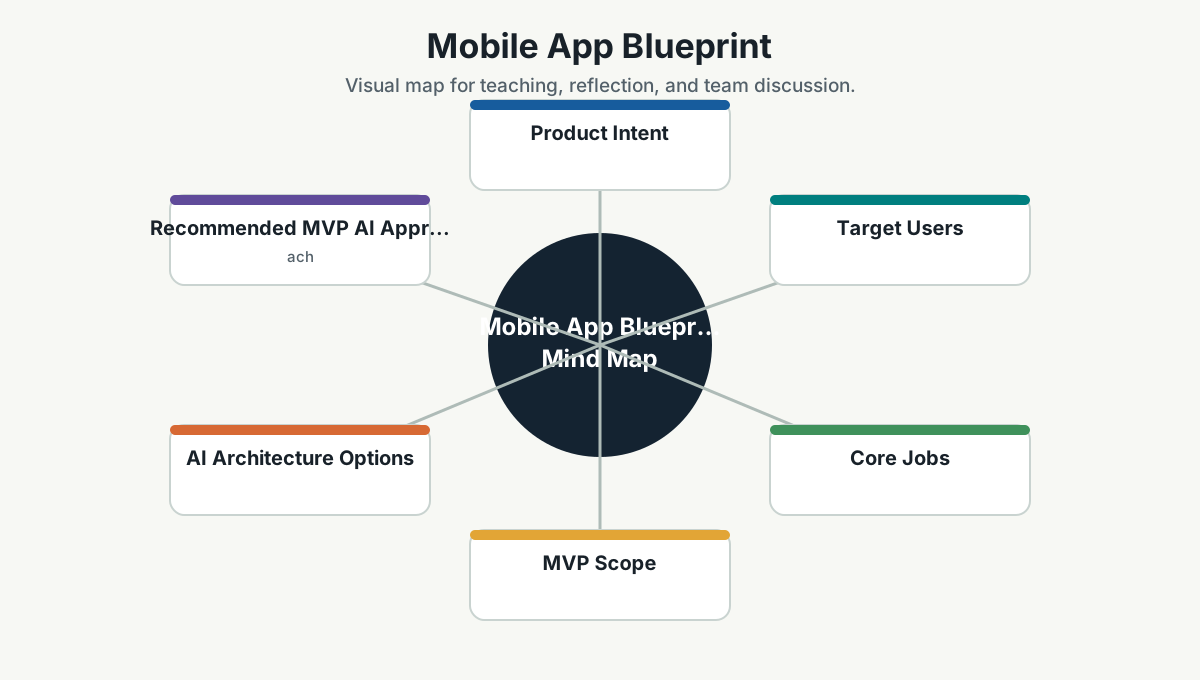
Product Intent
Create a daily reading and learning companion for CTOs, engineering leaders, and teams. The app should make the knowledge base useful in the flow of daily work, not just stored in a repository.
Target Users
- CTO and senior technology leaders.
- Engineering managers.
- Architects and tech leads.
- Product and design leaders.
- DevSecOps, SRE, QA, and platform engineers.
- Team members growing into leadership.
Core Jobs
Users should be able to:
- Read one focused learning item per day.
- Search the knowledge base quickly.
- Ask questions and receive source-grounded answers.
- Save notes from meetings, articles, and discussions.
- Convert learning into team actions.
- Track personal and team learning habits.
- Work offline during travel or low-connectivity periods.
MVP Scope
Must Have
- Daily reading feed from selected wiki pages.
- Offline cache of wiki content.
- Full-text search.
- Bookmarks.
- Personal notes.
- Team discussion prompts.
- Role-based learning paths.
- Basic quiz or reflection cards.
Should Have
- Local semantic search using embeddings.
- Voice note capture.
- "Ask the wiki" assistant with citations.
- Weekly learning summary.
- Push reminders.
- Admin-curated reading playlists.
Later
- Camera capture for whiteboards and slides.
- Multimodal document summarization.
- Team leaderboard focused on consistency, not vanity points.
- Integration with GitHub, Jira, Confluence, Slack, Teams, or email.
- Personalized recommendations based on role, goals, and reading history.
AI Architecture Options
| Option | Best For | Tradeoffs |
|---|---|---|
| Fully local model | Privacy, offline use, low latency | Device constraints, lower model capability, app size |
| Cloud model | Best answer quality, easy updates | Cost, privacy, network dependency |
| Hybrid | Balanced capability and privacy | More complex architecture and policy |
Recommended MVP AI Approach
Start hybrid:
- Local full-text search and cached reading.
- Local embeddings where device capability allows.
- Cloud-based "ask the wiki" for higher-quality reasoning, with strict source citation and no sensitive personal data by default.
- Later introduce local LLM modes for offline summarization and private notes.
Privacy And Security Rules
- Do not send private notes to cloud AI without explicit user consent.
- Keep organization content access-controlled.
- Cite source wiki pages for generated answers.
- Log AI usage without storing sensitive prompt content unless required and approved.
- Provide a clear delete/export path for personal notes.
- Use least-privilege API tokens for sync.
- Treat prompt injection as a real threat when processing external links or documents.
Key Screens
- Today: daily reading, reflection question, saved action.
- Library: wiki categories and playlists.
- Ask: source-grounded assistant.
- Notes: personal captures and meeting reflections.
- Team: shared prompts, commitments, learning streaks.
- Radar: adopt/trial/assess/hold updates.
- Profile: role, learning goals, privacy controls.
Success Metrics
- Weekly active readers.
- Completion rate for daily reading.
- Search success rate.
- Saved actions created.
- Team commitments completed.
- Questions answered with cited sources.
- Reduction in repeated onboarding or process questions.
- Qualitative feedback from team leads.
Release Plan
Phase 1: Content App
- Markdown ingestion.
- Daily reading.
- Offline cache.
- Search.
- Bookmarks and notes.
Phase 2: AI-Assisted Learning
- Ask the wiki.
- Summaries.
- Reflection cards.
- Role-based recommendations.
Phase 3: Team Operating System
- Team commitments.
- Learning reviews.
- Tech radar updates.
- Integrations with work tools.
Phase 4: Multimodal Edge Companion
- Voice notes.
- Whiteboard capture.
- Offline local model.
- Meeting-to-action summaries.
Open Decisions
- Native app vs cross-platform framework.
- Local model runtime and supported devices.
- Sync backend.
- Authentication and SSO.
- Content governance workflow.
- Data retention and audit policy.
Team Reference Guide
How To Explain This Page
Use this page as a reference conversation, not as a checklist to read aloud. Start by explaining why the topic matters, then connect it to current team work, and finally ask what behavior should change.
The most useful way to teach this material is to move from concept to example. Explain the principle, show how it appears in daily work, ask the team where it is currently strong or weak, and finish with one small action.
Guidelines For Teams
- Connect the topic to a current project, customer problem, incident, or decision.
- Translate concepts into visible behaviors.
- Keep the guidance lightweight enough to use weekly.
- Capture decisions, examples, and improvements back into the wiki.
- Review the page again after a project, incident, or retrospective to update what the team has learned.
Reflection Questions
- What part of this topic is already working well for us?
- What part is still mostly theory?
- What is one behavior we can change in the next 30 days?