System Design Patterns Cheatsheet
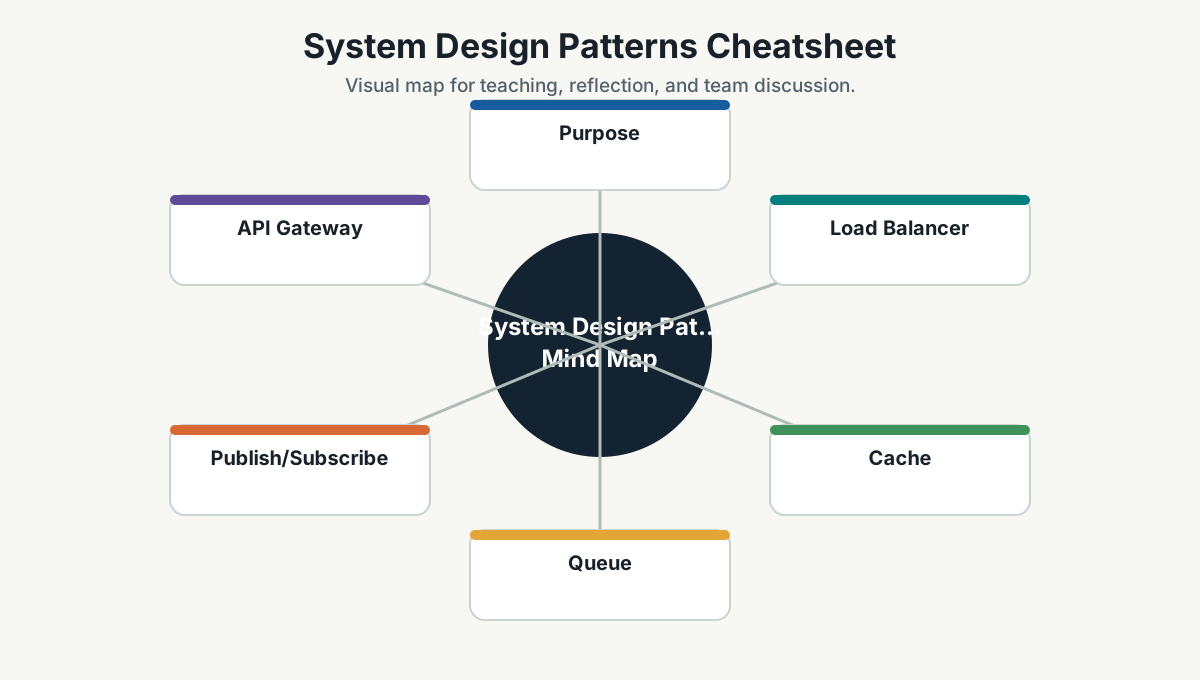
Purpose
This page gives developers a short reference for common system design patterns. Use it as a starting point before deeper study.
Inspired by visual system-design resources such as ByteByteGo, but written as original Simpro guidance.
Load Balancer
What it does:
- Distributes traffic across multiple instances.
Use when:
- One instance cannot handle traffic.
- You need high availability.
Watch out:
- Session affinity.
- Health checks.
- Uneven load.
Cache
What it does:
- Stores frequently accessed data closer to the caller.
Use when:
- Reads are frequent.
- Data can tolerate some staleness.
- Expensive computation or database calls repeat.
Watch out:
- Cache invalidation.
- Stale data.
- Hot keys.
- Memory pressure.
Queue
What it does:
- Decouples producers and consumers.
Use when:
- Work can happen asynchronously.
- You need buffering.
- You need to absorb spikes.
Watch out:
- Duplicate messages.
- Ordering.
- Poison messages.
- Retry storms.
- Idempotency.
Publish/Subscribe
What it does:
- Sends events to multiple subscribers.
Use when:
- Multiple systems need to react to the same event.
- Producers should not know consumers.
Watch out:
- Event versioning.
- Event ownership.
- Observability.
- Eventual consistency.
API Gateway
What it does:
- Provides a front door for APIs.
Use when:
- You need routing, authentication, rate limiting, or aggregation.
Watch out:
- Gateway becoming too smart.
- Hidden coupling.
- Single point of failure.
Rate Limiting
What it does:
- Controls how many requests a client can make.
Use when:
- Protecting APIs from abuse or overload.
- Enforcing fair usage.
Watch out:
- Distributed counters.
- User experience.
- Burst behavior.
Database Replication
What it does:
- Copies data across database nodes.
Use when:
- You need read scale.
- You need availability.
- You need disaster recovery.
Watch out:
- Replication lag.
- Failover behavior.
- Read-after-write consistency.
Sharding / Partitioning
What it does:
- Splits data across partitions.
Use when:
- Data volume is too large for one node.
- Writes need to scale.
Watch out:
- Choosing shard key.
- Cross-shard queries.
- Rebalancing.
- Hot partitions.
Circuit Breaker
What it does:
- Stops repeated calls to failing dependencies.
Use when:
- A dependency failure can cascade.
Watch out:
- Choosing thresholds.
- Recovery behavior.
- Fallback design.
Retry With Backoff
What it does:
- Retries failed operations with delay.
Use when:
- Failures are transient.
Watch out:
- Retrying non-idempotent operations.
- Retry storms.
- Long user wait times.
Idempotency
What it does:
- Makes repeated requests safe.
Use when:
- Clients may retry.
- Queues may deliver duplicates.
- Payment/order/job operations must not duplicate side effects.
Watch out:
- Idempotency key storage.
- Expiry.
- Correct conflict behavior.
CQRS
What it does:
- Separates read and write models.
Use when:
- Read and write needs differ significantly.
- Query performance needs a different model.
Watch out:
- Complexity.
- Eventual consistency.
- Synchronization.
Event Sourcing
What it does:
- Stores state changes as events.
Use when:
- Audit history matters.
- Reconstructing state is valuable.
Watch out:
- Event schema evolution.
- Query complexity.
- Team understanding.
Saga
What it does:
- Coordinates long-running distributed transactions.
Use when:
- A workflow spans multiple services and cannot use one database transaction.
Watch out:
- Compensation logic.
- Partial failure.
- Observability.
Outbox Pattern
What it does:
- Saves database change and outgoing event in same local transaction.
Use when:
- You need reliable event publishing after database updates.
Watch out:
- Outbox processing.
- Duplicate events.
- Cleanup.
Strangler Fig Pattern
What it does:
- Gradually replaces legacy functionality.
Use when:
- Big-bang rewrite is too risky.
Watch out:
- Routing complexity.
- Long migration periods.
- Data consistency.
Decision Shortcut
Before choosing a pattern, ask:
- What problem are we solving?
- What complexity does this pattern add?
- What failure mode does it introduce?
- How will we observe it?
- Does the team know how to operate it?
Further Study
- ByteByteGo: https://bytebytego.com/
- Microsoft Cloud Design Patterns: https://learn.microsoft.com/en-us/azure/architecture/patterns/
- AWS Architecture Center: https://aws.amazon.com/architecture/
- Microservices patterns: https://microservices.io/patterns/index.html
Team Reference Guide
How To Explain This Page
Use this page as a reference conversation, not as a checklist to read aloud. Start by explaining why the topic matters, then connect it to current team work, and finally ask what behavior should change.
The most useful way to teach this material is to move from concept to example. Explain the principle, show how it appears in daily work, ask the team where it is currently strong or weak, and finish with one small action.
Guidelines For Teams
- Connect the topic to a current project, customer problem, incident, or decision.
- Translate concepts into visible behaviors.
- Keep the guidance lightweight enough to use weekly.
- Capture decisions, examples, and improvements back into the wiki.
- Review the page again after a project, incident, or retrospective to update what the team has learned.
Reflection Questions
- What part of this topic is already working well for us?
- What part is still mostly theory?
- What is one behavior we can change in the next 30 days?