Simpro Engineering Fundamentals Playbook
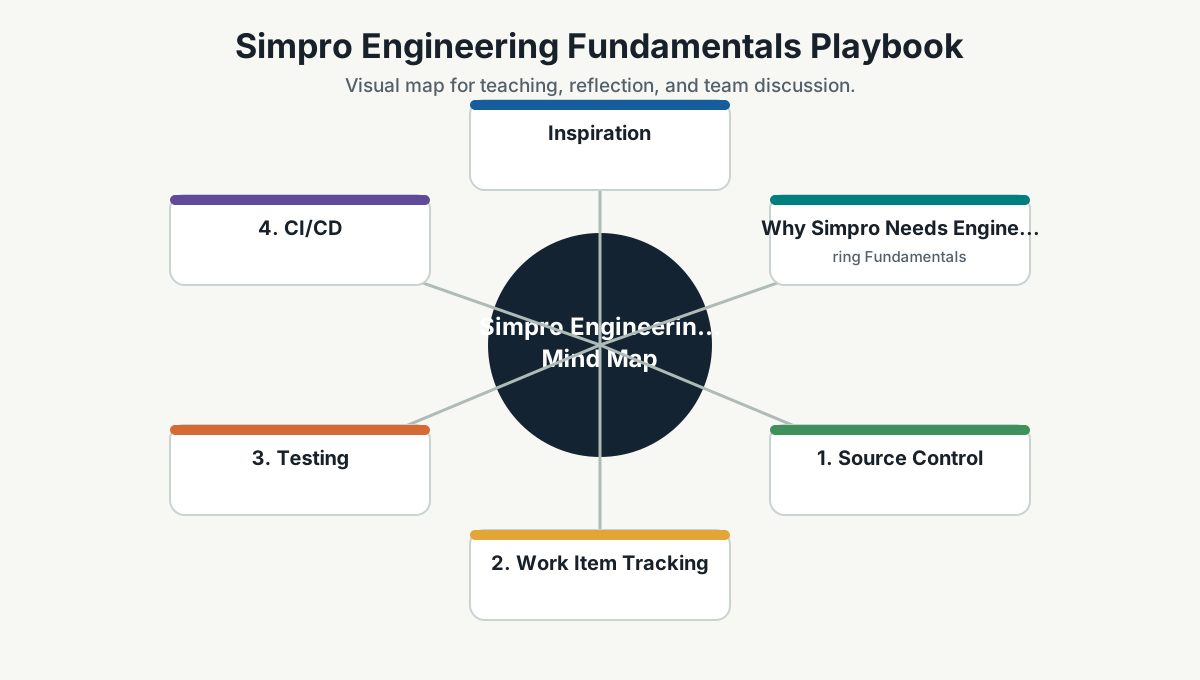
Inspiration
This page is adapted for Simpro from the ideas in Microsoft's public Engineering Fundamentals Playbook:
- Microsoft Engineering Fundamentals Playbook: https://microsoft.github.io/code-with-engineering-playbook/
- Microsoft Engineering Fundamentals Checklist: https://microsoft.github.io/code-with-engineering-playbook/engineering-fundamentals-checklist/
The Microsoft playbook is valuable because it treats engineering as a shared team discipline, not just individual coding ability. Its core message is that teams need a playbook, should know it, follow it, fix it when it is broken, and share better practices when they find them.
For Simpro, this becomes:
Know the Simpro playbook. Follow the Simpro playbook. Improve the Simpro playbook when reality teaches us something better.
Why Simpro Needs Engineering Fundamentals
Engineering fundamentals reduce mistakes, increase team efficiency, and make quality repeatable. They also help new team members understand what good looks like without waiting months to absorb tribal knowledge.
This is not about becoming process-heavy. It is about making the basics visible.
Without fundamentals:
- Git history becomes confusing.
- Pull requests become hard to review.
- Tests are inconsistent.
- Deployments depend on memory.
- Security is checked late.
- Observability is missing during incidents.
- Work items do not explain intent.
- Retrospectives repeat the same issues.
- Developer setup becomes a hidden initiation ritual.
With fundamentals:
- Work is easier to review.
- Delivery is safer.
- Incidents are easier to diagnose.
- Onboarding is faster.
- Teams can improve from a shared baseline.
Humor:
Tribal knowledge feels efficient until the tribe member is on leave.
1. Source Control
Source control is the team's shared memory. It should make change understandable and reversible.
Simpro guidelines:
- Main/default branch should be protected.
- Merges should happen through pull requests.
- PRs should reference related work items where practical.
- Commit messages should explain what changed and why.
- Branch names should be consistent and meaningful.
- Repository structure should be documented.
- Secrets must not be committed.
Reflection question:
If someone joins the team tomorrow, can they understand the repository structure and recent changes without asking three people?
2. Work Item Tracking
Work tracking should communicate intent, state, and decisions. It should not be a ticket cemetery.
Simpro guidelines:
- Important work should be visible in the board/backlog.
- Work items should explain problem, outcome, acceptance examples, and risks.
- The board should reflect reality.
- Blockers should be visible.
- Technical work should be connected to value, risk reduction, or platform leverage.
Anti-pattern:
Ticket says "fix issue" and the only person who understands it is the person already working on it.
Better:
Ticket explains the user impact, current behavior, expected behavior, risk, test notes, and related decision.
3. Testing
Testing is how the team creates confidence. Different risks need different tests.
Simpro guidelines:
- Unit tests for important logic.
- Integration tests for service/database/API boundaries.
- Contract tests where APIs/events are shared.
- Smoke tests for critical deployment paths.
- End-to-end tests for core user journeys.
- Performance tests for flows where latency matters.
- Regression tests for important bug fixes.
Practical rule:
Every bug fix should ask: what test would have caught this earlier?
4. CI/CD
CI/CD makes integration and release safer, faster, and more repeatable.
Simpro guidelines:
- CI should build and test pull requests.
- Main branch should remain shippable.
- Deployment path should be documented.
- Release should be repeatable.
- Risky changes should use feature flags or rollback plans.
- CI failures should be treated as team issues, not background noise.
Humor:
A red pipeline ignored long enough becomes part of the wallpaper.
5. Security
Security is part of engineering trust. It should not be a surprise at release time.
Simpro guidelines:
- Grant access only as needed.
- Store secrets in secure locations.
- Do not commit secrets.
- Encrypt data in transit and at rest where required.
- Hash passwords correctly.
- Separate concerns to limit blast radius.
- Scan dependencies and containers where practical.
- Threat model sensitive or internet-facing changes.
Reflection question:
What security issue would be most embarrassing if it appeared in production tomorrow?
6. Observability
Observability lets the team understand system behavior from the outside. It is what makes production less mysterious.
Simpro guidelines:
- Log important business and functional events.
- Log faults and errors with useful context.
- Track health of important services.
- Separate client and server signals when useful.
- Support configurable logging levels where appropriate.
- Propagate correlation IDs for debugging.
- Protect PII and sensitive data in logs.
- Create dashboards for critical user journeys.
Good question:
If a customer reports a problem, can we trace what happened without guessing?
7. Agile, Scrum, And Kanban
Agile practices should help the team coordinate, inspect, adapt, and learn.
Simpro guidelines:
- Team working agreement should be explicit.
- Daily standups should expose blockers and risks, not become status theater.
- Backlog refinement should improve clarity.
- Sprint/flow planning should consider value, risk, and capacity.
- Reviews should show working software and learning.
- Retrospectives should create improvement experiments.
Reflection question:
Which ceremony improves decisions, and which ceremony needs redesign?
8. Design Reviews
Design reviews make important technical decisions visible before expensive implementation.
Simpro guidelines:
- Review major components and risky changes.
- Capture alternatives and tradeoffs.
- Link stories or PRs to design notes when relevant.
- Capture non-functional requirements: performance, security, reliability, usability, maintainability, cost.
- Use ADRs for important decisions.
- Use technical spikes to reduce uncertainty.
Good design review output:
- Problem.
- Constraints.
- Options.
- Decision.
- Risks.
- Reversibility.
- Follow-up.
9. Code Reviews
Code review is a quality and learning conversation.
Simpro guidelines:
- Team should agree what code review is for.
- Pull requests should be small and clear.
- Authors should explain intent and testing.
- Reviewers should check correctness, readability, tests, security, operability, and maintainability.
- Linters, analyzers, builds, and tests should support review.
- Review turnaround should be reasonable.
Anti-pattern:
Review becomes either rubber stamp or ego contest.
Better:
Review improves the code and spreads knowledge.
10. Retrospectives
Retrospectives improve the system of work.
Simpro guidelines:
- Run retros regularly.
- Identify one to three improvement experiments.
- Give each experiment an owner.
- Add meaningful improvements to the backlog.
- Review whether previous retro actions worked.
- Run deeper retros after milestones or incidents.
Good retro question:
What made good work harder than it needed to be?
11. Engineering Feedback
Engineering feedback makes blockers, product issues, technical constraints, and improvement ideas visible.
Simpro guidelines:
- Feedback should be clear, specific, and repeatable.
- Include steps, context, impact, and suggested improvement.
- Product and technical blockers should be captured, not discussed only in chat.
- Feedback should lead to decisions or backlog items where appropriate.
Weak:
Environment is bad.
Better:
Local setup fails on step 4 when the seed script runs because the connection string is missing. This blocks new developers. Proposed fix: add .env.example, setup validation, and troubleshooting note.
12. Developer Experience
Developer experience is the speed and confidence with which developers can build, test, debug, and run the system.
Developers should be able to:
- Build the source.
- Run automated tests.
- Start the application locally.
- Simulate important dependencies.
- Attach a debugger.
- Use local configuration safely.
- Install dependencies predictably.
- Understand setup from documentation.
Platform connection:
Developer experience problems are platform signals. If many developers struggle with the same setup, that friction should become a golden path or automation.
Simpro Engineering Fundamentals Review
Use this monthly or before major delivery.
| Area | Question | Status |
|---|---|---|
| Source control | Are branches, PRs, and secrets controlled? | |
| Work tracking | Does the board reflect reality and intent? | |
| Testing | Do tests match the risks? | |
| CI/CD | Is main shippable and release repeatable? | |
| Security | Are access, data, and dependencies controlled? | |
| Observability | Can we diagnose important production issues? | |
| Agile/Scrum/Kanban | Are rituals improving flow and learning? | |
| Design reviews | Are important decisions documented? | |
| Code reviews | Are reviews improving quality and knowledge? | |
| Retrospectives | Are improvements owned and followed up? | |
| Engineering feedback | Are blockers and issues repeatable and actionable? | |
| Developer experience | Can developers build, run, test, and debug easily? |
How This Connects To The Simpro Knowledge Base
This page supports:
- Engineering Excellence
- DevSecOps And SRE
- Reusable Platform Strategy
- Developer Help Home
- Agile Scrum Kanban Cheatsheet
Source
Microsoft Engineering Fundamentals Playbook: https://microsoft.github.io/code-with-engineering-playbook/
Microsoft Engineering Fundamentals Checklist: https://microsoft.github.io/code-with-engineering-playbook/engineering-fundamentals-checklist/
Team Reference Guide
How To Explain This Page
Use this page as a reference conversation, not as a checklist to read aloud. Start by explaining why the topic matters, then connect it to current team work, and finally ask what behavior should change.
The most useful way to teach this material is to move from concept to example. Explain the principle, show how it appears in daily work, ask the team where it is currently strong or weak, and finish with one small action.
Guidelines For Teams
- Connect the topic to a current project, customer problem, incident, or decision.
- Translate concepts into visible behaviors.
- Keep the guidance lightweight enough to use weekly.
- Capture decisions, examples, and improvements back into the wiki.
- Review the page again after a project, incident, or retrospective to update what the team has learned.
Reflection Questions
- What part of this topic is already working well for us?
- What part is still mostly theory?
- What is one behavior we can change in the next 30 days?