Gamified Annual Day And Team Workshop Formats
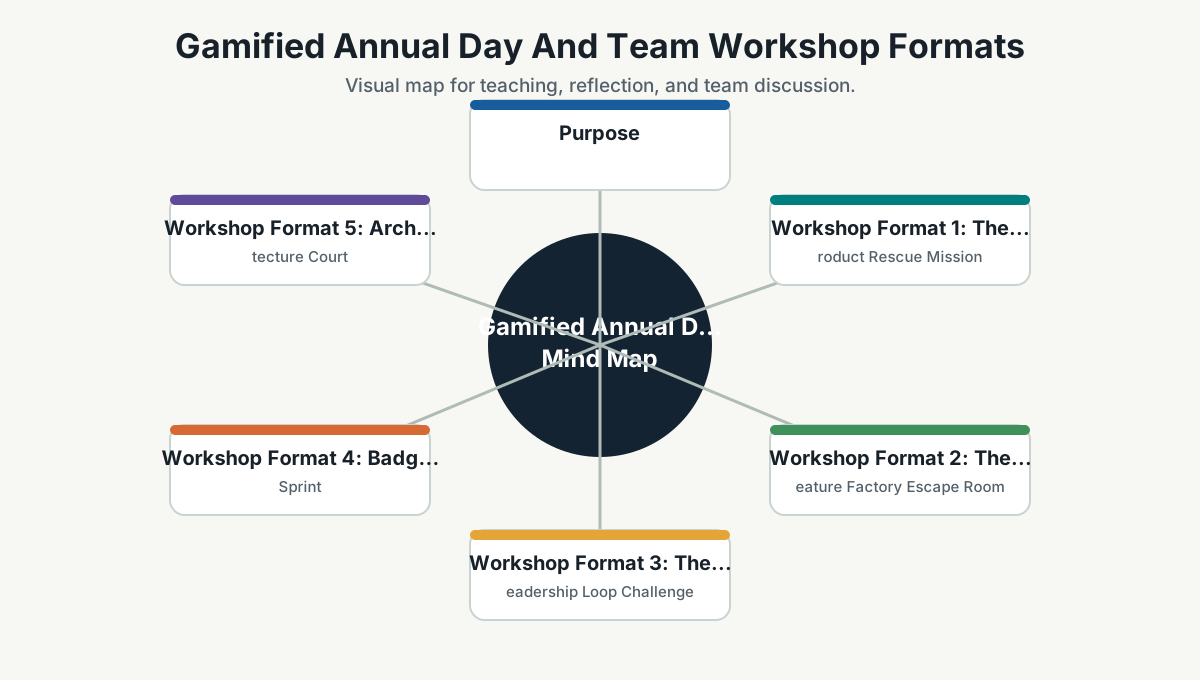
Purpose
This page gives ready-to-run formats for using the knowledge base in engaging sessions. Use it for annual day, onboarding, team retrospectives, leadership sessions, or capability-building workshops.
Workshop Format 1: The Product Rescue Mission
Story
The team has shipped a feature that stakeholders requested. Users are confused, performance is slow, and support tickets are rising. A sales demo is scheduled soon.
The team must rescue the product without blame.
Duration
45 to 60 minutes.
Roles
- Product/stakeholder.
- Developer.
- QA.
- IT/admin.
- Operations.
- Security.
- Team lead.
Round 1: Diagnose
Each role answers:
- What signal do you see?
- What risk matters most?
- What evidence is missing?
Round 2: Decide
The team chooses:
- Mitigate now.
- Roll back.
- Feature flag.
- Fix forward.
- Communicate.
- Run discovery.
Round 3: Improve
The team identifies one system improvement:
- Better problem framing.
- Earlier QA.
- Performance check.
- Observability.
- Stakeholder demo.
- Security review.
Scoring
| Behavior | Points |
|---|---|
| Clear customer impact | 2 |
| No blame language | 2 |
| Evidence-based decision | 3 |
| Cross-functional thinking | 3 |
| System improvement | 5 |
Workshop Format 2: The Feature Factory Escape Room
Story
The team is trapped in the feature factory. The only way out is to transform outputs into outcomes.
Duration
30 to 45 minutes.
Puzzle 1: Request Translation
Convert:
Build dashboard.
Into:
- User.
- Problem.
- Outcome.
- Metric.
Puzzle 2: Assumption Lock
List five assumptions and identify the riskiest one.
Puzzle 3: Experiment Key
Design the smallest useful experiment.
Puzzle 4: Trust Gate
Name quality, security, performance, and observability checks.
Win Condition
The team escapes when it has a product bet, experiment, trust checks, and decision rule.
Workshop Format 3: The Leadership Loop Challenge
Story
Team leads receive a messy project update. They must transform it into a clear operating loop.
Input
We are working on the dashboard. API is almost done. UI is pending. QA will start later. There are some dependency issues. Stakeholder feedback is expected next week.
Mission
Rewrite it as:
- Context.
- Commitment.
- Action.
- Evidence.
- Refinement.
Good Output
Context:
Managers need earlier visibility of staffing risk before weekly planning.
Commitment:
This week we will validate whether the top three dashboard metrics help managers make the planning decision faster.
Action:
Build clickable prototype, review API feasibility, and test with two managers.
Evidence:
Managers can identify risk in under five minutes and confirm which metrics are useful.
Refinement:
Based on feedback, decide whether to build full dashboard, reduce scope, or change the metric set.
Workshop Format 4: Badge Sprint
Duration
One sprint or two weeks.
Setup
Each team chooses one badge from the quest catalog.
Rules
- Badge must relate to real work.
- Badge requires evidence.
- Team presents before/after.
- Leadership recognizes behavior, not theatrics.
Suggested Badge Sprint Themes
- Customer Clarity.
- Experiment Builder.
- Flow Improver.
- Done Means Trusted.
- Learning From Failure.
- Loop Keeper.
Workshop Format 5: Architecture Court
Story
Two architecture options are on trial. The goal is not to win an argument. The goal is to make tradeoffs visible.
Roles
- Option A advocate.
- Option B advocate.
- Security reviewer.
- Operations reviewer.
- Product reviewer.
- Cost reviewer.
- Judge/facilitator.
Evidence Required
- Problem.
- Constraints.
- Tradeoffs.
- Risks.
- Reversibility.
- Decision trigger.
Output
ADR draft.
Workshop Format 6: AI Trust Lab
Story
The team wants to add AI to a workflow. The lab decides whether the use case is safe, useful, and measurable.
Questions
- What outcome improves?
- What data does AI see?
- What can AI do?
- What must a human approve?
- How do we evaluate quality?
- What can go wrong?
- How do we roll back?
Output
AI use-case brief with guardrails.
Facilitator Guide
Keep Energy High
Use short rounds, visible timers, and mixed-role groups.
Keep It Practical
Every exercise should use a real or realistic company scenario.
Keep It Safe
The goal is system improvement, not public embarrassment.
Keep It Evidence-Based
Ask:
What evidence would prove this?
Keep It Light
Use humor carefully:
- "Closing tickets is not the same as opening customer value."
- "A meeting without decision, learning, or alignment is just a calendar-shaped snack."
- "Security at the end is a seatbelt after the accident."
- "AI is a very confident intern: useful, fast, and still needs review."
90-Minute Sample Agenda
| Time | Activity |
|---|---|
| 0-10 min | Story spine introduction |
| 10-25 min | Feature Factory Escape Room |
| 25-40 min | Debrief and concept explanation |
| 40-60 min | Product Rescue Mission |
| 60-75 min | Team quest selection |
| 75-90 min | 30-day commitment |
Half-Day Sample Agenda
| Time | Activity |
|---|---|
| 0-20 min | Opening story and small team advantage |
| 20-50 min | Human side of Agile and ownership ladder |
| 50-80 min | Product Rescue Mission |
| 80-95 min | Break |
| 95-125 min | Growth engineering and experiment design |
| 125-155 min | Build-right and DevSecOps trust gate |
| 155-190 min | Badge sprint planning |
| 190-210 min | Team commitments |
Team Reference Guide
How To Explain This Page
Use this page as a reference conversation, not as a checklist to read aloud. Start by explaining why the topic matters, then connect it to current team work, and finally ask what behavior should change.
The most useful way to teach this material is to move from concept to example. Explain the principle, show how it appears in daily work, ask the team where it is currently strong or weak, and finish with one small action.
Guidelines For Teams
- Connect the topic to a current project, customer problem, incident, or decision.
- Translate concepts into visible behaviors.
- Keep the guidance lightweight enough to use weekly.
- Capture decisions, examples, and improvements back into the wiki.
- Review the page again after a project, incident, or retrospective to update what the team has learned.
Reflection Questions
- What part of this topic is already working well for us?
- What part is still mostly theory?
- What is one behavior we can change in the next 30 days?